
- Manish Panjari
- 0 Comments
- Aug 31 2026
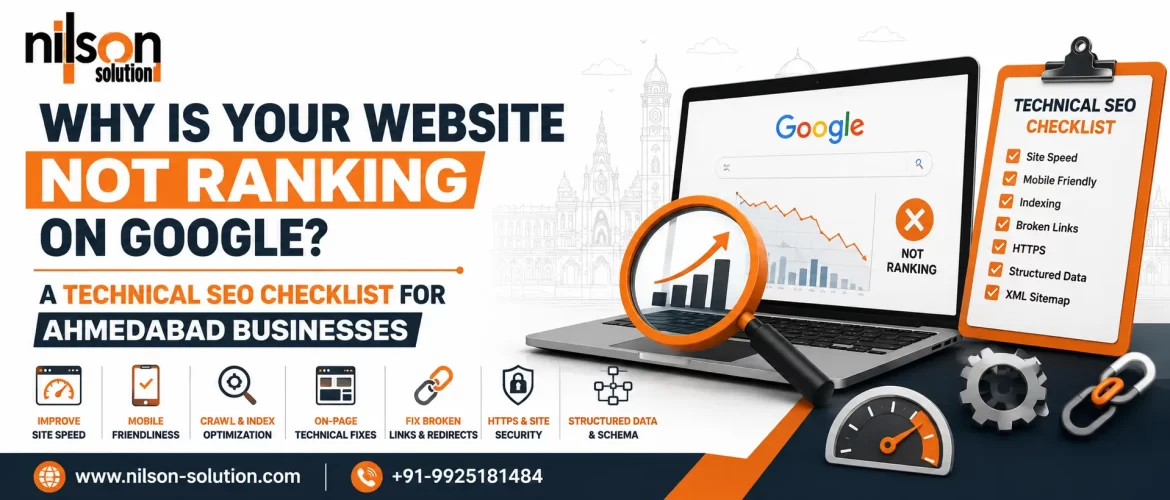
A website can have excellent products, attractive design, and useful content yet still struggle to rank on Google. One common reason is that search engines may encounter technical problems that affect crawling, indexing, page experience, or their understanding of the website. These problems can be especially frustrating for Ahmedabad businesses competing for visibility in local and national search results. Technical SEO Services in Ahmedabad focus on identifying and fixing these underlying website issues so search engines can efficiently crawl, understand, and index important pages.
Technical SEO does not replace quality content or authority building; instead, it creates a stronger foundation for them. Businesses may need to review everything from robots.txt and XML sitemaps to canonical tags, redirects, page speed, mobile usability, structured data, internal links, and indexing status. A technically healthy website gives Google clearer signals about which pages should be discovered and indexed.
This checklist explains the most important technical SEO issues Ahmedabad businesses should review when their websites are not achieving the rankings they expect.
Why Is Your Website Not Ranking on Google?
A website may not rank because Google cannot properly crawl, index, understand, or trust its pages.
Common technical causes include:
- Important pages blocked from crawling
- Incorrect robots.txt directives
- Missing or poorly configured XML sitemap
- Noindex tags on valuable pages
- Incorrect canonical tags
- Broken links and 404 errors
- Poor website speed
- Mobile usability problems
- Duplicate or thin pages
- Redirect chains
- Incorrect HTTPS implementation
- Weak internal linking
- JavaScript rendering issues
- Incorrect structured data
- Poor Core Web Vitals
- Website migration errors
The first step is to determine whether Google can access and index your important pages. Google Search Console’s indexing reports and URL Inspection tool can help identify these issues.
1. Check Google Search Console First
Before changing your website, check what Google is actually reporting.
Google Search Console can provide information about:
- Indexed pages
- Not-indexed pages
- Crawling issues
- Sitemap status
- Core Web Vitals
- Mobile usability
- Security problems
- Manual actions
- Search performance
The URL Inspection tool is particularly useful for checking individual pages.
Enter an important URL and review whether Google has:
- Discovered the page
- Crawled the page
- Indexed the page
- Selected a canonical URL
- Encountered any indexing problems
If your homepage is indexed but important service pages are not, investigate those specific URLs rather than assuming the entire website has an SEO problem.
2. Make Sure Important Pages Are Indexable
One of the most serious technical SEO mistakes is accidentally preventing Google from indexing valuable pages.
Check whether important pages contain:
<meta name="robots" content="noindex">A noindex directive can tell search engines not to include a page in their index.
Review important pages such as:
- Homepage
- Service pages
- Product pages
- Location pages
- Category pages
- Important blog posts
Also check whether your CMS or SEO plugin has accidentally applied noindex settings.
For businesses investing in Technical Website SEO Services Ahmedabad, indexability should be one of the first technical checks.
3. Review Your Robots.txt File
The robots.txt file provides crawling instructions to search engine bots.
A poorly configured file can unintentionally block important sections of a website.
For example, businesses should carefully review directives such as:
Disallow: /or overly broad rules affecting important folders.
Robots.txt should not be treated as a method for removing already indexed pages from Google. Different SEO situations require different solutions.
Review whether important resources and pages are unnecessarily restricted.
4. Check Your XML Sitemap
An XML sitemap helps search engines discover important URLs.
Your sitemap should ideally contain:
- Canonical URLs
- Indexable pages
- Current URLs
- Important content
Avoid filling your sitemap with:
- Redirecting URLs
- 404 pages
- Noindex pages
- Duplicate URLs
- Unimportant parameter variations
After creating or updating the sitemap, submit it through Google Search Console. For larger websites, consider whether the sitemap should be separated into multiple files according to content type or URL volume.
5. Fix Canonical Tag Problems
Canonical tags help search engines understand which URL represents the preferred version of similar or duplicate pages.
A typical canonical tag looks like:
<link rel="canonical" href="https://example.com/service-page/">Common canonical problems include:
- Canonical pointing to another unrelated page
- Missing canonical tags
- Multiple canonical tags
- Canonical pointing to a redirected URL
- Canonical pointing to a 404 page
- HTTP canonical on an HTTPS website
For ecommerce and large websites, canonicalization can become particularly important because multiple URL variations may exist. Review canonical signals carefully rather than automatically adding self-referencing canonicals to every URL without understanding the site’s structure.
6. Audit HTTP and HTTPS Versions
Your website should have a clear preferred version.
For example:
https://example.com/should generally be the preferred version rather than maintaining competing HTTP and HTTPS versions.
Check:
- HTTP to HTTPS redirects
- HTTPS certificate validity
- Internal links
- Canonical tags
- XML sitemap URLs
- Image URLs
- CSS and JavaScript resources
Mixed-content problems can also occur when an HTTPS page loads resources over HTTP. A complete technical audit should confirm that the secure version is consistently implemented.
7. Find and Fix Broken Links
Broken internal links can create poor user experiences and make crawling less efficient.
Get Technical SEO Help
Look for:
- 404 pages
- Broken internal links
- Outdated navigation links
- Broken images
- Links to redirected URLs
- Incorrect URLs
If a page has permanently moved, a relevant 301 redirect may be appropriate. However, avoid redirecting every deleted URL to the homepage. Redirects should normally point to a relevant replacement where one exists.
8. Reduce Redirect Chains
Redirects are useful when URLs change, but unnecessary chains can create technical inefficiencies.
For example:
URL A → URL B → URL Ccan often be improved to:
URL A → URL CReview:
- HTTP → HTTPS redirects
- Old URL → new URL redirects
- Trailing-slash redirects
- www/non-www redirects
- Domain migration redirects
A clean redirect structure makes website management easier and can reduce unnecessary requests.
9. Improve Website Loading Speed
Website performance matters for users and can contribute to overall page experience.
Common causes of slow websites include:
- Oversized images
- Unoptimized JavaScript
- Excessive third-party scripts
- Poor server response time
- Unnecessary plugins
- Render-blocking resources
- Poor caching configuration
Start by analyzing important templates rather than optimizing random pages individually.
Focus on:
- Image optimization
- Browser caching
- Compression
- Efficient code
- Reduced third-party scripts
- Better hosting or server configuration
- Content delivery where appropriate
10. Monitor Core Web Vitals
Google’s Core Web Vitals focus on important aspects of page experience.
Key metrics include:
- Largest Contentful Paint (LCP)
- Interaction to Next Paint (INP)
- Cumulative Layout Shift (CLS)
Poor results can indicate that a website is slow, unstable, or difficult to interact with. For example, a large hero image can contribute to poor LCP, while dynamically loading advertisements or banners can contribute to layout shifts. Use real-world performance data where available and prioritize issues affecting significant portions of your website.
11. Make the Website Mobile-Friendly
Most businesses cannot afford to ignore mobile users.
Check whether your website:
- Displays correctly on smartphones
- Uses readable text
- Has appropriately sized buttons
- Avoids horizontal scrolling
- Loads efficiently
- Provides easy navigation
- Makes contact options accessible
For local Ahmedabad businesses, mobile usability is especially important because users may search for nearby services while traveling or making immediate purchasing decisions. A technically optimized desktop website is not enough if the mobile experience is poor.
12. Check JavaScript Rendering
Modern websites frequently use JavaScript for navigation, content loading, filters, forms, and interactive elements. Problems can occur if important content is available only after JavaScript executes incorrectly.
Check whether Google can access:
- Main content
- Navigation
- Internal links
- Product information
- Service descriptions
- Metadata
- Structured data
If important SEO content depends heavily on JavaScript, developers and SEO specialists should verify how search engines can render and access it.
13. Strengthen Internal Linking
Internal links help users and search engines navigate your website.
A good internal linking structure can connect:
- Service pages
- Location pages
- Blog articles
- Product pages
- Category pages
- Supporting resources
For example, an Ahmedabad business could connect an informational blog about a service to its corresponding service page. Use descriptive, natural anchor text. Avoid creating hundreds of artificial links simply to manipulate rankings.
14. Review Your URL Structure
A clean URL structure makes websites easier to manage.
Good URLs should generally be:
- Descriptive
- Concise
- Stable
- Readable
- Relevant to the page
For example:
/example.com/technical-seo-services-ahmedabad/is easier to understand than:
/example.com/page?id=8493Do not change URLs unnecessarily. If an existing URL already performs well, changing it can create avoidable migration work.
15. Remove Duplicate URL Variations
A website can accidentally create multiple URLs for essentially the same content.
Potential causes include:
- URL parameters
- HTTP and HTTPS versions
- www and non-www versions
- Trailing-slash variations
- Filter URLs
- Session IDs
- Duplicate category paths
Search engines may need to determine which version represents the preferred page. Use appropriate canonicalization, redirects, internal linking, and site architecture to consolidate unnecessary variations.
16. Audit Structured Data
Structured data can help search engines understand specific types of content. Depending on the business and page type, relevant structured data may include:
- Organization
- LocalBusiness
- Product
- Article
- BreadcrumbList
- FAQPage where eligible
Structured data should accurately describe the visible content on the page. Do not add irrelevant schema simply to increase the number of structured-data types on a page. Also validate implementations and investigate errors or warnings that could affect eligibility for supported search features.
17. Check Duplicate and Thin Pages
Technical SEO is not only about server-level issues.
Poor website architecture can create many low-value URLs.
Examples include:
- Empty category pages
- Duplicate location pages
- Automatically generated filter pages
- Very short service pages
- Duplicate product descriptions
Ask:
Does this URL provide unique value to a user? If not, consider whether the page should be improved, consolidated, redirected, or prevented from being indexed. A larger number of indexed URLs does not automatically mean better SEO.
18. Check Your Website’s Crawlability
Search engines need to discover important pages through accessible links.
Review whether important pages are:
- Linked from navigation
- Connected through internal links
- Included in relevant categories
- Accessible without unnecessary clicks
An important service page buried deep inside the site may receive less attention than a well-connected page.
Create a logical website hierarchy.
For example:
Homepage
   ↓
Services
   ↓
Technical SEO Services
   ↓
Ahmedabad Technical SEO Services
The actual structure should reflect the site’s content and business goals.
19. Review Pagination and Faceted Navigation
Large ecommerce and service websites can create thousands of URLs through filters and sorting options.
For example:
/products?brand=x
/products?brand=y
/products?sort=price
/products?color=red
Not every variation needs to be indexed.
Uncontrolled faceted navigation can create crawl inefficiencies and duplicate-content problems. Determine which combinations have genuine search demand and which should remain primarily for users rather than search engines.
20. Check Image SEO and Accessibility
Images can create both technical and usability issues.
Review:
- Image file size
- Modern formats
- Dimensions
- Lazy loading
- Alt text
- Broken image URLs
- Responsive image implementation
Alt text should describe meaningful images where appropriate.
Do not use alt text as a place to repeatedly insert keywords.
For example:
Better:
alt="Technical SEO audit dashboard"
Poor:
alt="Technical SEO Services Ahmedabad best technical SEO services Ahmedabad"
Accessibility and SEO should work together.
21. Review Your 404 Page
A useful 404 page helps visitors recover when they reach a missing URL.
It can include:
- Clear explanation
- Homepage link
- Main navigation
- Search function
- Important service links
However, do not redirect every nonexistent URL to the homepage simply to avoid 404 responses.
A genuine missing page can appropriately return a 404 status.
22. Check Server Response Codes
HTTP status codes tell search engines what happened when they requested a URL.
Important codes include:
- 200 – successful response
- 301 – permanent redirect
- 302 – temporary redirect
- 404 – page not found
- 410 – resource permanently gone
- 5xx – server-side errors
A technical SEO audit should identify unexpected status codes. Large numbers of server errors can interfere with crawling and user access.
23. Audit Internal and External Links
Links should be reviewed periodically.
Check for:
- Broken links
- Redirecting links
- Irrelevant links
- Orphan pages
- Poor anchor text
- Excessive links
- Links to outdated resources
Internal links should support the user’s journey and help search engines understand relationships between pages. External links should lead to trustworthy and relevant resources when they are useful to users.
24. Check Website Migrations Carefully
Website redesigns and migrations can cause major ranking losses when URL changes are not handled correctly.
Before migration:
- Crawl the existing website
- Export important URLs
- Record metadata
- Identify backlinks
- Map old URLs to new URLs
- Prepare redirects
After migration:
- Test redirects
- Check indexability
- Submit the new sitemap
- Review Search Console
- Check canonical tags
- Monitor rankings
- Check traffic
- Identify 404 errors
A migration should be treated as an SEO project, not just a design or development project.

25. Consider Professional Technical SEO Optimization Services
Some technical issues require collaboration between SEO specialists, developers, hosting providers, and website administrators.
Technical SEO Optimization Services Ahmedabad can involve:
- Comprehensive technical audits
- Crawl analysis
- Indexation analysis
- Core Web Vitals improvements
- Schema implementation
- Internal-link optimization
- Canonicalization
- Redirect management
- Sitemap optimization
- Robots.txt review
- Mobile SEO
- JavaScript SEO
- Website migration support
The exact scope should be based on the website’s technical condition rather than a fixed checklist applied identically to every business.
26. Create a Technical SEO Priority List
Not every issue deserves immediate attention.
A practical priority framework is:
High Priority
- Important pages blocked from indexing
- Incorrect noindex tags
- Major server errors
- Broken redirects
- HTTPS problems
- Incorrect canonicalization
- Major migration issues
Medium Priority
- Internal linking improvements
- Sitemap cleanup
- Image optimization
- Structured-data improvements
- Redirect-chain reduction
Lower Priority
- Minor metadata issues
- Small URL improvements
- Non-critical warnings
Fix issues based on their potential impact rather than simply trying to achieve a perfect audit score.
27. Technical SEO Checklist for Ahmedabad Businesses

Use this checklist when auditing your website:
Crawling
- Robots.txt reviewed
- Important pages crawlable
- Internal links working
- No unnecessary crawl traps
Indexing
- Important pages indexable
- No accidental noindex tags
- Sitemap submitted
- Canonicals correct
Technical Performance
- HTTPS working
- Core Web Vitals monitored
- Website speed optimized
- Mobile usability checked
- Server errors monitored
Website Architecture
- Logical URL structure
- Strong internal linking
- No unnecessary duplicate URLs
- Orphan pages identified
Structured Data
- Relevant schema implemented
- Markup matches visible content
- Errors reviewed
Maintenance
- Search Console monitored
- Broken links checked
- Redirects reviewed
- Website changes documented
28. Local SEO and Technical SEO Should Work Together
For Ahmedabad businesses, technical SEO should support local search visibility.
Check that your website consistently presents:
- Business name
- Address
- Phone number
- Service information
- Location details
- Contact information
Relevant local landing pages should provide genuine value instead of simply repeating the city name. Technical SEO makes these pages accessible and understandable, while local SEO helps connect the business with geographically relevant searches.
29. How Professional Technical SEO Services Can Help
A professional technical SEO process usually begins with a crawl and website audit.
The SEO team can then:
- Identify technical problems.
- Categorize issues by priority.
- Verify problems manually.
- Recommend solutions.
- Coordinate with developers.
- Implement approved changes.
- Validate the fixes.
- Monitor Google Search Console.
- Track organic performance.
- Repeat the audit periodically.
This process is more useful than simply generating an automated audit report and fixing every warning without considering its importance.
30. Don’t Assume Technical SEO Alone Will Guarantee Rankings
Technical SEO creates a strong foundation, but rankings depend on many factors.
Google can consider signals related to:
- Relevance
- Content quality
- Search intent
- Website authority
- Links
- User experience
- Local relevance
- Competition
- Overall website quality
A technically perfect website can still fail to rank if its content does not satisfy the searcher’s needs. Likewise, excellent content may struggle if Google cannot crawl or index it properly. The strongest strategy combines technical SEO with high-quality content, useful information, strong internal linking, relevant authority signals, and local optimization.
Final Thoughts
When a website is not ranking on Google, the problem may not be the amount of content published. Technical problems can prevent search engines from efficiently discovering, crawling, rendering, understanding, and indexing important pages. A practical technical SEO audit should begin with Google Search Console and then examine crawlability, indexability, robots.txt, XML sitemaps, canonical tags, redirects, HTTPS, website speed, Core Web Vitals, mobile usability, internal links, structured data, URL structure, duplicate pages, and server responses.
For Ahmedabad businesses, technical SEO should also support local search optimization by ensuring important service and location pages are accessible, useful, and properly connected within the website. Nilson Solution can help businesses identify technical SEO problems and build a structured optimization strategy around their website’s specific requirements.
When evaluating Technical SEO Services in Ahmedabad, avoid choosing a provider based only on the number of errors shown in an automated audit. A good technical SEO strategy prioritizes issues according to their potential impact on crawling, indexing, user experience, and organic visibility. Technical SEO is also not a one-time task. Website redesigns, plugin updates, new pages, migrations, development changes, and content additions can introduce new problems.
Regular monitoring through Search Console, website crawlers, analytics, and performance tools can help businesses detect issues before they become significant. The goal is straightforward: make your website technically accessible, easy for search engines to understand, useful for visitors, and strong enough to support your broader SEO strategy. Nilson Solution can provide professional technical SEO support focused on identifying, prioritizing, and resolving website issues that may be limiting organic search performance.
FAQs
Q1. What are Technical SEO Services in Ahmedabad?
A1. Technical SEO Services in Ahmedabad involve identifying and resolving website issues related to crawling, indexing, site architecture, page performance, mobile usability, structured data, redirects, and other technical search-engine requirements.
Q2. Why is my website not ranking on Google?
A2. Your website may not rank because of technical issues, weak content relevance, indexing problems, poor site architecture, limited authority, strong competition, or a combination of these factors.
Q3. What are Technical Website SEO Services Ahmedabad businesses need?
A3. Technical Website SEO Services Ahmedabad businesses may need include crawl audits, indexation checks, sitemap optimization, canonical reviews, Core Web Vitals improvements, mobile optimization, redirects, structured data, and internal-link analysis.
Q4. What is Website Technical SEO Services Ahmedabad?
A4. Website Technical SEO Services Ahmedabad refers to optimizing the technical foundation of a website so search engines can efficiently crawl, understand, and index its important content.
Q5. How often should technical SEO be audited?
A5. There is no universal schedule. Websites with frequent changes, large inventories, migrations, or complex architectures may benefit from more frequent monitoring. Smaller websites should still periodically review important technical signals.
Q6. What are Technical SEO Optimization Services Ahmedabad?
A6. Technical SEO Optimization Services Ahmedabad focus on improving technical elements such as crawlability, indexability, site speed, mobile usability, URL structure, canonicalization, redirects, structured data, and website architecture.
Q7. Can technical SEO improve Google rankings?
A7. Technical SEO can remove barriers that prevent search engines from accessing or understanding content. However, technical SEO alone does not guarantee higher rankings.
Q8. What are Technical SEO Solutions for Websites Ahmedabad businesses can use?
A8. Technical SEO Solutions for Websites Ahmedabad businesses can include crawl audits, indexation improvements, XML sitemap management, robots.txt optimization, Core Web Vitals work, canonicalization, structured data, redirect fixes, and internal-link improvements.
Q9. How do I know if Google has indexed my website?
A9. Google Search Console provides indexing information and allows you to inspect individual URLs. Search operators can provide additional clues, but Search Console is generally more useful for site owners.
Q10. Should I hire Professional Technical SEO Services Ahmedabad?
A10. Professional support can be useful when a website has complex technical problems, significant indexing issues, a migration, poor performance, or development-related SEO challenges. The appropriate level of support depends on the website’s needs.
Search

Recent Posts
- How Wix SEO Services in Ahmedabad Can Help Your Business Rank Higher on Google
- How Salon SEO Services in Ahmedabad Can Help You Get More Clients from Google
- How to Choose a WordPress Expert for E-Commerce Website Development in Ahmedabad
- How to Find a Reliable WordPress Expert in Ahmedabad for Website Design & Development
- How Local SEO Services in London Can Help Your Business Attract More Nearby Customers