
- Manish Panjari
- 0 Comments
- Oct 26 2026
An outdated WordPress website can affect more than your brand image. Slow-loading pages, outdated designs, poor mobile usability, broken links, and old plugins can make it harder for visitors to use your website and find the information they need.
However, upgrading your website without a proper plan can create new problems. Changing URLs, removing valuable content, replacing internal links, or accidentally blocking search engines can affect existing organic visibility.
The good news is that you can modernize your website while protecting much of its existing SEO value by planning the upgrade carefully. The key is to preserve what already works, improve what does not, and test every important change before launching.
How Can You Upgrade WordPress Without Losing SEO Value?
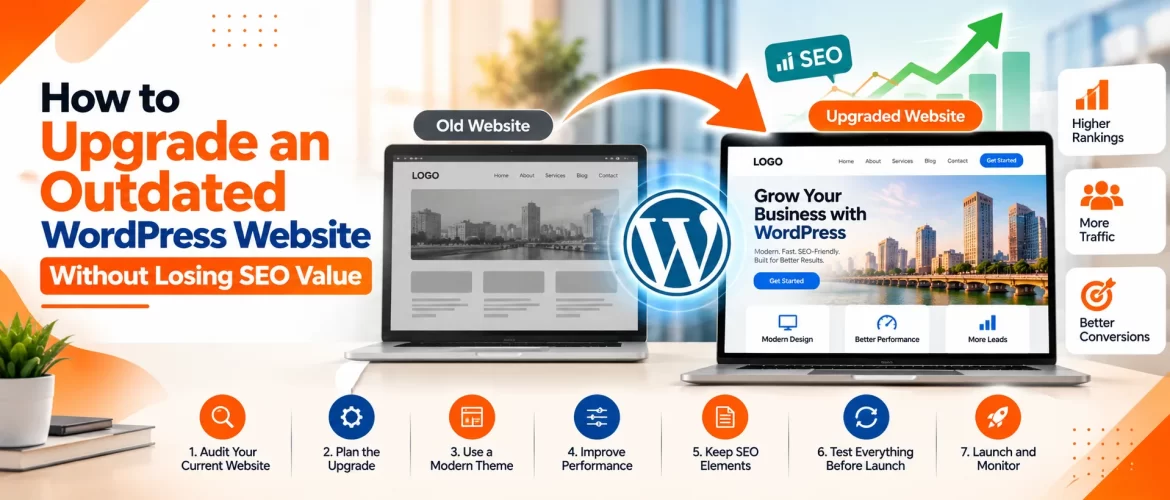
To upgrade an outdated WordPress website while protecting its search performance, follow these steps:
- Audit existing organic traffic, keyword rankings, and valuable landing pages.
- Back up your website and create a staging environment.
- Preserve important URLs wherever possible.
- Maintain useful content, internal links, and relevant metadata.
- Implement appropriate permanent redirects if URLs must change.
- Test mobile usability, speed, security, and technical SEO before launch.
- Check indexing, submit an updated sitemap, and monitor Search Console after launch.
A redesign does not automatically improve SEO. Results depend on how well you preserve existing search signals while improving the website’s technical quality and user experience.
1. Audit Your Existing Website Before Making Changes
The first step is understanding what your current website does well and where it needs improvement. Without a baseline, you may accidentally remove pages that generate organic traffic, attract backlinks, or bring qualified leads.
Start by reviewing Google Search Console and your analytics platform. Identify pages that receive organic clicks, generate inquiries, rank for valuable keywords, or attract external links.
Create an inventory that includes:
- Important service pages and landing pages.
- High-performing blog articles.
- Pages with valuable backlinks.
- Existing page titles and meta descriptions.
- Current URL structures and canonical tags.
- Conversion forms and tracking events.
- Technical errors and indexing issues.
Also review the website’s design, mobile usability, page speed, and plugin configuration. Businesses considering WordPress Development Services in Ahmedabad should begin with this audit before deciding whether they need a complete redesign or targeted improvements. The objective is to establish which elements must be preserved and which can be safely improved.
2. Back Up Your Website and Use a Staging Environment
Never make major design or development changes directly on a live website without a reliable recovery plan. Create a complete backup of your WordPress files and database. Confirm that the backup can be restored and store a copy in a secure location separate from the live website.
Next, use a staging environment to test the redesign before publishing it. A staging site allows you to review themes, plugins, custom code, layouts, and integrations without immediately affecting visitors.
Use staging to check:
- Navigation and page layouts.
- Contact forms and inquiry notifications.
- Plugin compatibility.
- Mobile responsiveness.
- Page speed and technical errors.
- Analytics and conversion tracking.
- SEO metadata and indexing settings.
Make sure the staging environment is not accidentally indexed by search engines, and verify that the live site does not retain inappropriate noindex directives after launch. WordPress recommends backing up a site before updates, while staging environments can help test significant changes before applying them to a live website.
3. Preserve Existing URLs Wherever Possible
One of the most important SEO considerations during a website upgrade is URL management. If you’re existing service pages and blog posts already have search visibility, keeping their URLs unchanged can reduce unnecessary disruption. A new design does not automatically require a new URL structure.
For example, if a service page currently uses:
example.com/wordpress-development/
Avoid changing it to a different URL simply because the new design uses a different page template.
If a URL genuinely needs to change, prepare a mapping that connects each old URL to its most relevant new destination. Implement appropriate permanent redirects, such as HTTP 301 redirects, where necessary.
Avoid redirecting every old page to the homepage. Redirects should lead visitors and search engines to a relevant replacement page. Pages with no suitable replacement may need to return an appropriate not-found response.
Google’s migration guidance recommends preparing URL mappings, implementing redirects carefully, updating internal links, and monitoring search performance after changes.
4. Protect Your Existing Content and Keyword Relevance
A website redesign often involves rewriting service pages, removing outdated blog posts, and changing headings. While these changes can improve readability, removing useful information without evaluating its value may weaken pages that already perform well.
Before editing content, review each important page’s purpose, target keywords, search intent, backlinks, and conversion performance.
Preserve content that continues to serve users well. Improve outdated information, remove duplication where appropriate, and strengthen weak sections with accurate explanations and useful examples.
During the upgrade, check that:
- The main headings still describe the page accurately.
- Important service information remains available.
- Relevant keywords are used naturally.
- Internal links point to the correct destinations.
- Image alt text remains appropriate.
- Page titles and meta descriptions remain relevant.
- FAQs are retained where they genuinely help users.
Businesses investing in WordPress website development in Ahmedabad should treat content preservation as part of the development scope rather than an optional SEO task.
The goal is not to keep every sentence unchanged. It is to retain the information and relevance that help visitors and search engines understand each page.
5. Improve Technical SEO During the Upgrade
A redesign is an opportunity to fix existing technical problems, but it is also a chance to introduce new ones if technical SEO is overlooked.
Review the website’s robots.txt rules, canonical tags, XML sitemap, internal links, structured data, and indexing directives.
Make sure the new site:
- Allows crawling of important pages.
- Uses the correct canonical URLs.
- Includes the intended indexable pages in its sitemap.
- Has no broken navigation links.
- Uses descriptive page titles and headings.
- Implements structured data accurately where appropriate.
- Loads important content in a way search engines can access it.
Check your redirects and confirm that they do not create unnecessary chains or loops. Test key pages individually and crawl the website before launch to identify problems early.
A WordPress website development services company in Ahmedabad should understand how design and technical decisions can affect organic search visibility. Technical SEO should be included in the development process from the beginning, not treated as a last-minute checklist.
6. Improve Speed, Mobile Usability, and Accessibility
An outdated website may have oversized images, unnecessary scripts, complicated navigation, or layouts that work poorly on mobile devices.
Use the upgrade to improve the visitor experience while retaining the content and page structure that matter for SEO.
Prioritise:
- Compressing and correctly sizing images.
- Removing unused plugins and unnecessary scripts.
- Improving caching and hosting configuration.
- Making buttons and forms easy to use on mobile.
- Using readable typography and clear navigation.
- Improving color contrast and accessible form labels.
- Testing important pages on real devices.
Measure performance before and after the upgrade using appropriate tools. Focus on improvements that address actual problems rather than installing plugins simply because they promise faster results.
A cleaner, more usable website can support better engagement, but no single speed score guarantees higher rankings or more conversions.
7. Check Your WordPress Theme, Plugins, and Integrations
Outdated themes and plugins can create compatibility, security, and performance issues. Replacing them without testing, however, can break important functionality. Review every installed plugin and identify what it does, whether it is still maintained, and whether its functionality is needed. Remove redundant plugins carefully, and test alternatives before replacing essential features.
Check integrations such as:
- Google Analytics and Google Tag Manager.
- Google Search Console verification.
- Contact forms and CRM systems.
- Payment gateways and eCommerce functionality.
- Schema and SEO plugins.
- Marketing automation and email notifications.
If your website uses custom code, document its purpose and confirm that the new theme or templates retain the required functionality.
For complex projects, custom WordPress development may be useful when standard themes and plugins cannot meet your requirements. However, custom code should be documented and tested, so future maintenance remains manageable.
8. Launch the Updated Website With an SEO Checklist
Before launching, compare the staging site against the existing website and verify that important pages, links, and tracking features are working.
Use this checklist:
- Confirm that important URLs are retained or correctly redirected.
- Test all redirects and check for redirect loops.
- Verify page titles, meta descriptions, and canonical tags.
- Remove unintended
noindexdirectives from live pages. - Check robots.txt and XML sitemap settings.
- Test contact forms, phone links, and conversion events.
- Confirm mobile layouts and key page functionality.
- Check important pages for broken links and missing images.
After launch, submit the updated sitemap in Google Search Console and inspect priority URLs. Keep an eye on indexing reports, organic clicks, landing-page traffic, and conversions.
Google notes that search visibility can fluctuate during significant site changes while pages are recrawled and reprocessed.
9. Monitor SEO Performance After the Upgrade
Your SEO work should continue after the new website goes live. Compare performance against the baseline you recorded before the upgrade.
Monitor:
- Organic clicks and impressions.
- Rankings for priority keywords.
- Indexing status of important pages.
- Redirect errors and broken URLs.
- Organic landing-page traffic.
- Lead forms, calls, and other conversions.
- Mobile usability and website performance.
If a page loses visibility, investigate whether its URL changed, content was removed, internal links were lost, or indexing settings were altered. Avoid making multiple large changes at once without understanding their effects. A measured approach helps you identify the cause of problems and decide what to fix first.
For businesses comparing the best SEO services in Ahmedabad, look for a provider that measures outcomes, explains technical changes, and includes post-launch monitoring in its process.
Conclusion
Upgrading an outdated WordPress website is an opportunity to improve design, performance, usability, and technical quality. The key is to protect the valuable content, URLs, and search signals that your existing website has already established.
Start with a thorough audit, create a backup and staging environment, plan URL changes carefully, and test the updated website before launch. After publishing, monitor search performance and resolve technical issues promptly.
Nilson Solution can help businesses plan WordPress improvements with attention to technical SEO, user experience, and long-term website performance. A structured upgrade process can reduce avoidable risks and give your website a stronger foundation for future growth.
Frequently Asked Questions
Q1. Can I redesign my WordPress website without losing SEO rankings?
Yes, you can reduce the risk by preserving valuable URLs and content, implementing correct redirects when needed, testing the new site, and monitoring performance after launch. However, ranking fluctuations cannot be ruled out.
Q2. Should I change my URLs during a WordPress redesign?
Keep existing URLs whenever possible if they already perform well. Change them only when there is a clear reason, and redirect old URLs to the most relevant new destinations.
Q3. How can an SEO service provider in Ahmedabad help with a website upgrade?
A provider can audit existing search performance, plan URL changes, preserve valuable content, check technical SEO, and monitor results after launch.
Q4. Will changing my WordPress theme affect SEO?
It can. A theme change may affect page structure, speed, headings, internal links, mobile usability, and structured data. Test these elements before publishing the new design.
Q5. What should I monitor after upgrading my website?
Track organic clicks, impressions, indexing, keyword performance, broken links, redirects, landing-page traffic, and conversions. Compare the results with your pre-upgrade baseline
Search

Recent Posts
- How SEO Link Building Services in Ahmedabad Help Businesses Improve Google Rankings
- How to Upgrade an Outdated WordPress Website Without Losing SEO Value
- WordPress vs. Shopify vs. Custom Website Development: Which Is Best for Ahmedabad Businesses?
- Getting Website Traffic but No Leads? 10 SEO and Conversion Problems to Fix
- Why Your Website Is Missing from AI Search Results and How to Fix It